Business SMS
Why Do Businesses Text You? How Does Business SMS Work?
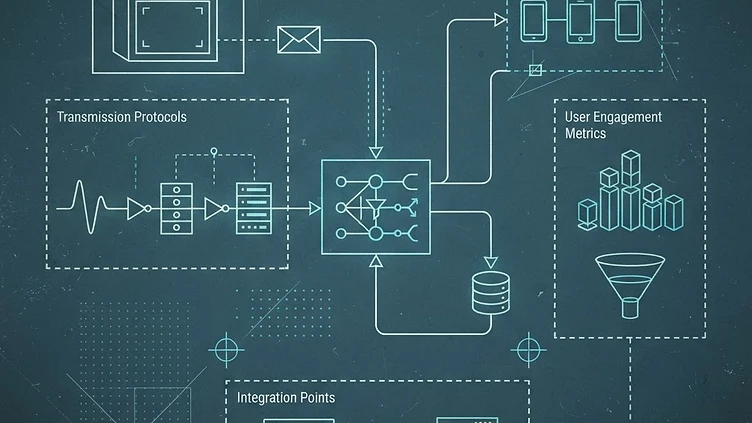
Business SMS is the use of text messages to send customers time-sensitive business communication, such as order confirmations, appointment reminders, one-time passwords (OTPs), payment notifications, and updates, delivered through mobile networks without requiring an app and easily automated by businesses through an SMS API.
As a business grows, managing customer communication manually gets harder. You need to send the right message to the right customer at the right time. Because SMS works through mobile networks and generally does not require customers to download an app, it is a practical way to deliver short, time-sensitive messages directly to their phones.
So what exactly is Business SMS, how does it work, and why do businesses use it? Let's break it down.
What Is Business Messaging?
Business messaging is the use of digital channels to communicate with customers about promotions, notifications, reminders, authentication, updates, and support. Rather than isolated campaigns, it can support the whole customer journey:
- Before an interaction: provide information, promotions, or confirmation
- During an interaction: guide or assist customers
- After an interaction: send updates or follow-up information
- For ongoing engagement: share reminders, offers, or other communications
Channels include SMS, email, messaging apps, web chat, and social media messaging. Email suits detailed information; messaging channels suit shorter updates.
Where SMS fits. Business messaging is the overall approach; Business SMS is one way to deliver it, commonly for short, time-sensitive updates, alerts, OTPs, and offers. SMS is also widely used for application-to-person (A2P) messaging, which the GSMA recognizes as an important part of business-to-customer mobile communication.
Business vs. personal messaging. Personal messaging is informal communication between individuals ("Hi! Are you free for coffee tomorrow?"). Business messaging serves a business purpose ("Your appointment is confirmed for September 10 at 2:00 PM. Reply if you need to reschedule."). The difference is why and how a message is sent, not just who sends it.
Why Do Businesses Need Business Messaging?
Customers need to know whether an order was received, when an appointment is set, whether a payment went through, or how to verify an account. The goal is simple: send the right information to the right customer at the right time.
Faster communication. Delays can mean missed appointments, unanswered questions, or uncertainty about an order or payment. Businesses can send:
- Order confirmations to show an order was received
- Schedule alerts to remind customers of appointments
- Payment notifications about payments, due dates, or transactions
- OTPs for verification or authentication (see the NIST Digital Identity Guidelines)
- Delivery updates when an order ships or arrives
Manual messaging does not scale. A few customers may be manageable by hand; with hundreds or thousands, automation saves time and reduces mistakes. A purchase or an upcoming appointment can trigger a message automatically, so employees do not send each one.
More than marketing. SMS marketing focuses on promotions like discounts, sales, and product announcements. Business messaging also covers notifications, OTPs, reminders, customer support, and account alerts across the whole customer journey.
The right message at the right time. Good business messaging is about sending relevant information when customers need it, not about sending more messages.
A simple formula: Business Messaging = Relevant communication + Right timing + Automation. Aim for convenient, useful communication.
Business SMS 101: What It Is and How It Works
Business SMS is the use of text messages to communicate with customers for business purposes. It is business messaging through text. Common uses include:
- Promotional messages share offers, discounts, sales, or new products. "Get 20% off your order this weekend. Use code SAVE20."
- Transactional messages update customers on an order, payment, or transaction. "Your order has been confirmed and is being prepared."
- Automated messages go out without manual sending.
- Triggered messages are sent when a specific action happens, such as a booking confirmation.
It can inform, remind, and confirm at different points in the customer journey.
How does it work?
To the customer, it is just a text. Behind it, several steps happen:
- A business event happens, such as an order, a booking, a due payment, or an OTP request.
- The system triggers an SMS. For example, a completed order automatically triggers a confirmation.
- The SMS platform processes the message. Systems connect to the platform through an SMS API, and an SMS gateway can help route messages to mobile networks.
- The mobile network delivers it. Delivery can vary by provider, network, and destination.
- The customer receives the SMS. Businesses may also receive delivery status information.
In short: Business Event → SMS Trigger → SMS Platform → Mobile Network → Customer. Business SMS does not mean typing thousands of messages by hand; it can be part of an automated workflow.

How Businesses Can Build SMS Into Operations
Business SMS works best built into existing processes.
Lending and microfinance:
A loan payment is approaching → the payment schedule is identified in the system → an SMS reminder is triggered → the borrower receives the payment information. SMS can also support application updates, payment confirmations, and account notifications.
E-commerce:
A customer places an order → the order is recorded → an SMS confirmation is triggered → the customer receives the update. The message becomes part of the ordering process.
In both cases, a business action triggers a well-timed message.
Why Businesses Use SMS
Businesses use SMS to communicate quickly and conveniently.
- Timely communication. Send OTPs, reminders, payment alerts, and updates when customers need them: "Your appointment is tomorrow at 10:00 AM."
- Automated notifications. Messages go out when an action happens, saving employees from sending each one.
- Direct customer updates. Important information reaches customers' phones: "Your order has been shipped and will arrive tomorrow."
- Scalable communication. Platforms help reach hundreds or thousands of customers efficiently.
- Flexible use cases. Marketing, transactions, authentication, notifications, and customer support.
Where SMS fits in a multi-channel strategy.
Email suits detailed information, newsletters, and longer updates. Social media suits awareness and engagement. Mobile apps suit in-app updates and personalized experiences. SMS suits short, expected, time-sensitive messages such as reminders, OTPs, alerts, and order status. Choose the channel based on the message and the customer's needs, not one for everything.
Business SMS Is More Than Bulk Messaging
Instead of sending the same message to everyone, businesses can combine four practices:
- Segmentation: Group customers by interests, location, purchases, or status. According to Salesforce, this allows more relevant messages. A clothing store promotes men's shoes to customers who showed interest in men's products.
- Personalization: Use what you already know, such as a name, order, or appointment. "Hi Maria, your order #1025 has been shipped."
- Automation: Send messages when a specific event occurs. Gorgias notes it helps manage customer interactions efficiently. A booked appointment triggers a reminder automatically.
- Timing: Send when the message is most useful. A reminder goes out shortly before the appointment, not weeks earlier.
Together, segmentation + personalization + automation + timing make Business SMS more relevant and useful, delivering the right message to the right customer at the right time.
What to Consider Before Sending SMS
Use Business SMS responsibly.
- Get proper permission. In the Philippines, the National Privacy Commission's Data Privacy Act resources cover consent, direct marketing, and the processing of personal information.
- Keep messages relevant. Not every customer needs every message, so avoid sending extras just because it is easy.
- Make the message clear. Ask: what is this message about, and what does the customer need to know or do?
- Respect preferences and opt-outs. Provide a clear way to opt out, stop sending relevant messages after a request, and keep track of opt-outs. The NPC's guidance on the right to object is a useful reference.
Is Business SMS Right for Your Business?
It may be a good fit if you need to communicate with customers quickly, regularly, or at scale. Ask yourself:
- Do you send frequent customer updates or reminders?
- Do you send order, payment, delivery, or booking updates?
- Do you need to send OTPs or account alerts?
- Do you regularly send promotions or special offers?
- Do you spend too much time sending messages manually?
- Do you need to reach many customers at once?
If you answered yes to several, business messaging may be worth considering. SMS suits time-sensitive messages because they reach customers' phones without a dedicated app: a clinic can send service updates, an online store order and delivery updates.
Conclusion
Business messaging is not just about sending promotional texts. It helps businesses share the right information at the right time, such as an order update, reminder, OTP, payment notice, or offer. Business SMS is one useful channel for short, well-timed messages directly to customers' phones, made more effective by automation, personalization, segmentation, and good timing.
For Filipino businesses, especially SMEs, the goal is to identify where SMS makes customer communication faster, simpler, and more useful, not to use it for everything. In the end, effective business messaging is not about sending more messages. It is about sending messages that matter. SMS Philippines provides A2P SMS solutions for sending customer communications through a web dashboard, API integrations, and automated messaging.
FAQ
1. What is Business SMS and how does it differ from personal texting?
Business SMS is the use of text messages for professional purposes, such as order confirmations, OTPs, and appointment reminders. While personal messaging is informal communication between individuals, business messaging serves a specific commercial goal, often using automation to deliver relevant, time-sensitive information to customers at the right moment in their journey.
2. What is business messaging?
Business messaging refers to using digital communication channels to communicate with customers for business purposes. These channels can include SMS, email, messaging apps, web chat, and social media messaging.
3. Why do businesses use Business SMS instead of other communication channels?
Businesses use Business SMS because it is a highly effective way to deliver short, urgent messages directly to mobile phones without requiring customers to download an app. It is ideal for time-sensitive tasks like sending payment notifications, delivery updates, and security codes, ensuring customers receive critical information instantly via mobile networks.
4. How does the Business SMS process work behind the scenes?
The process begins when a business event, like an order or OTP request, triggers a system. This message is processed by an SMS platform or API, routed through an SMS gateway to the mobile network, and finally delivered to the customer, often providing the business with a status report on the delivery.
5. Can businesses automate SMS messages?
Yes. Businesses can connect their systems to an SMS platform through an SMS API and set up automated messages. For example, an order confirmation or appointment reminder can be sent automatically when a specific event occurs.
6. Do customers need an app to receive Business SMS?
Generally, no. SMS is delivered through mobile networks, so customers typically do not need to download a specific app to receive a text message. This makes SMS useful for sending short and timely business communications directly to customers' phones.
Start your SMS campaign
From scheduled broadcasts and contact groups to real-time delivery tracking, get everything you need to launch, scale, and manage SMS campaigns for your business.
Get Started